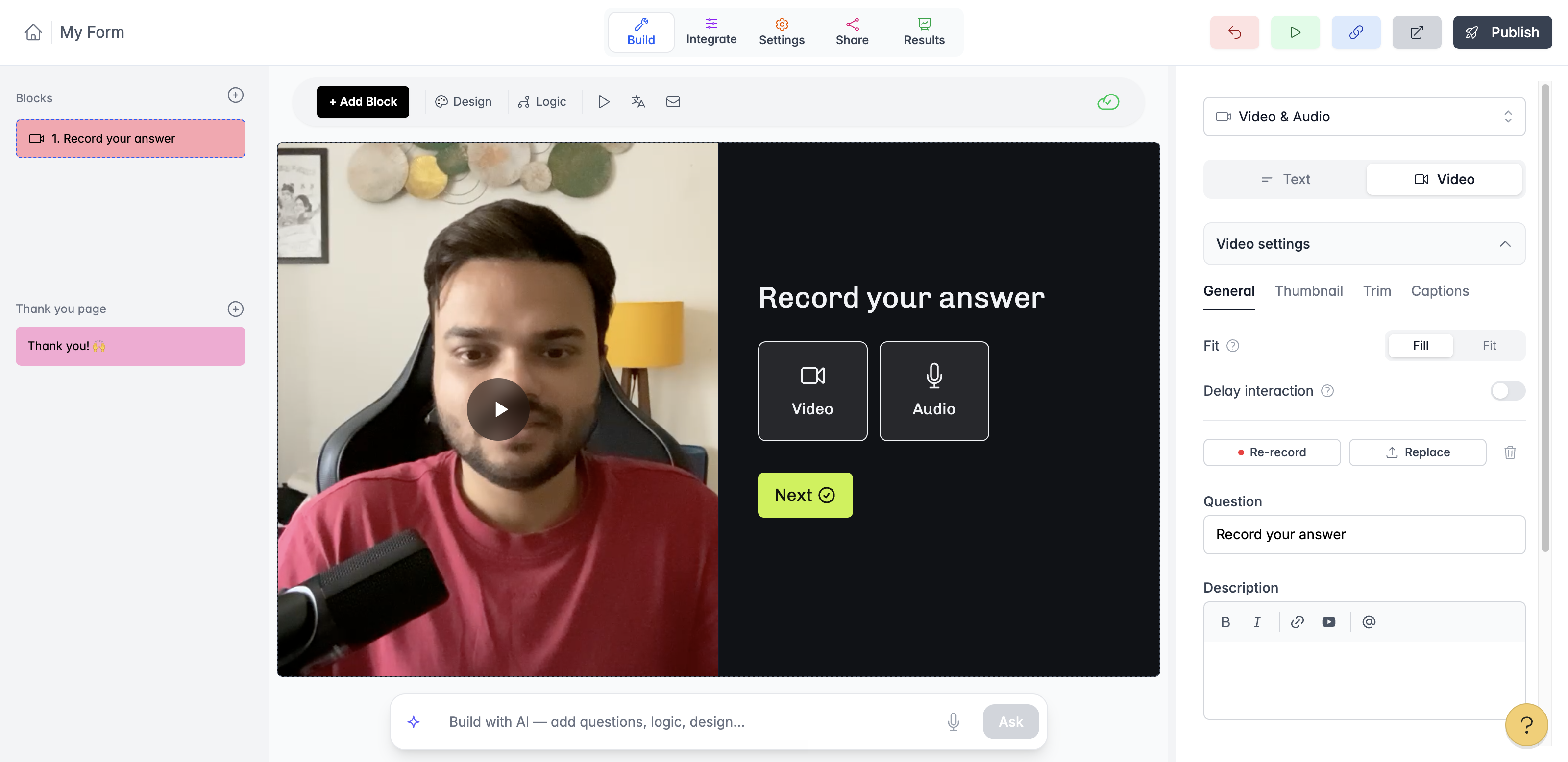
Video questions and video answers
You can now ask questions with a video, and let people answer with a video or a voice note. Sample form here
Video questions: record or upload a short video for any question. It plays right next to the question, so your form feels like a real conversation. Captions are added automatically, and you can trim the video, pick a thumbnail, and keep people on the question for a few seconds before they can move on.
To add one, open a question, switch Text to Video, then record or upload.
Video & Audio answers: add the new Video & Audio block and people can answer by recording with their camera, recording a voice note, or uploading a file. You can also let them type instead if they prefer.
Every recording is transcribed for you, so you can read answers in your responses without playing each one. You can also play or download any recording.
These features are available in all plans including FREE.
Check help docs:
https://help.youform.com/add-your-own-video-to-a-question-8zs5j
https://help.youform.com/collect-video-and-audio-answers-njjag